

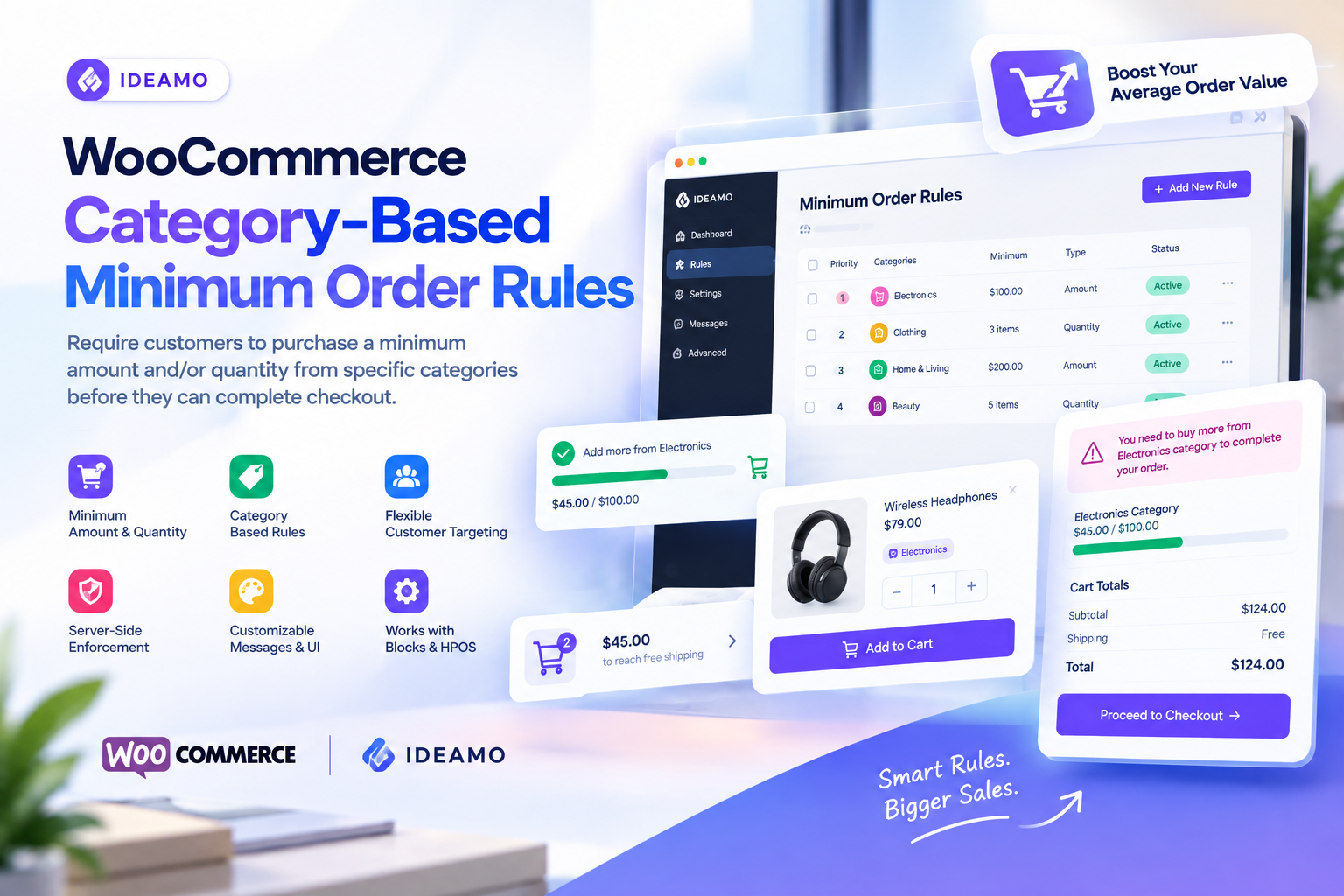
Running a WooCommerce store is not only about getting more orders. The real challenge is making sure those orders are profitable, efficient, and valuable enough for your business.
For stores selling wholesale products, bulk items, category-specific products, or products with minimum purchasing requirements, WooCommerce’s default checkout system may not provide enough control.
You may want customers to purchase at least $100 from a specific product category, buy a minimum number of products, or meet both conditions before completing checkout.
This is where WooCommerce minimum order rules can make a significant difference.
What Are WooCommerce Minimum Order Rules?
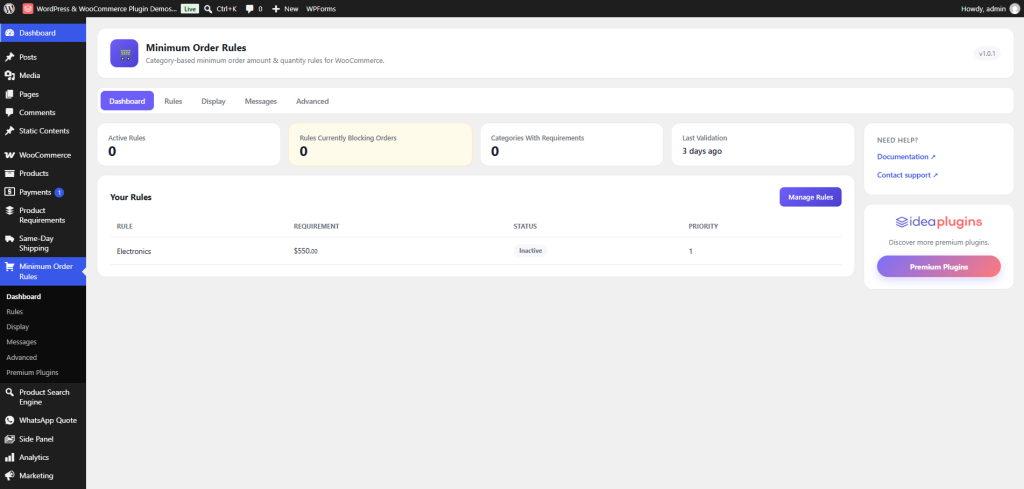
A WooCommerce minimum order rule allows store owners to define conditions that customers must satisfy before they can complete a purchase.
For example, you could create rules such as:
- Customers must spend at least $100 on Electronics
- Customers must purchase at least 5 products from Clothing
- Customers must spend $200 and purchase at least 3 items
- Wholesale customers must meet different minimum requirements
- Guests can have different requirements from logged-in customers
Instead of applying one generic minimum order amount to the entire cart, category-based rules give you much more precise control.
For stores with complex product catalogs, this can be especially useful.

Why Use Category-Based Minimum Order Requirements in WooCommerce?
A single global minimum order amount does not always make sense.
Imagine that your store sells electronics, clothing, accessories, and wholesale supplies. You might want customers to purchase at least $150 worth of electronics while allowing accessories to have a different requirement.
A category-based minimum order rule lets you create these conditions independently.
This gives store owners more flexibility while creating a clearer purchasing experience for customers.
With the right implementation, minimum order requirements can help you:
- Increase average order value
- Encourage customers to add more products
- Improve wholesale ordering workflows
- Reduce low-value orders
- Create category-specific purchasing policies
- Give customers clear progress toward their requirements
How to Set a Minimum Order Amount in WooCommerce
One of the most common requirements is setting a minimum spending amount for a product category.
For example:
Electronics → Minimum order: $100
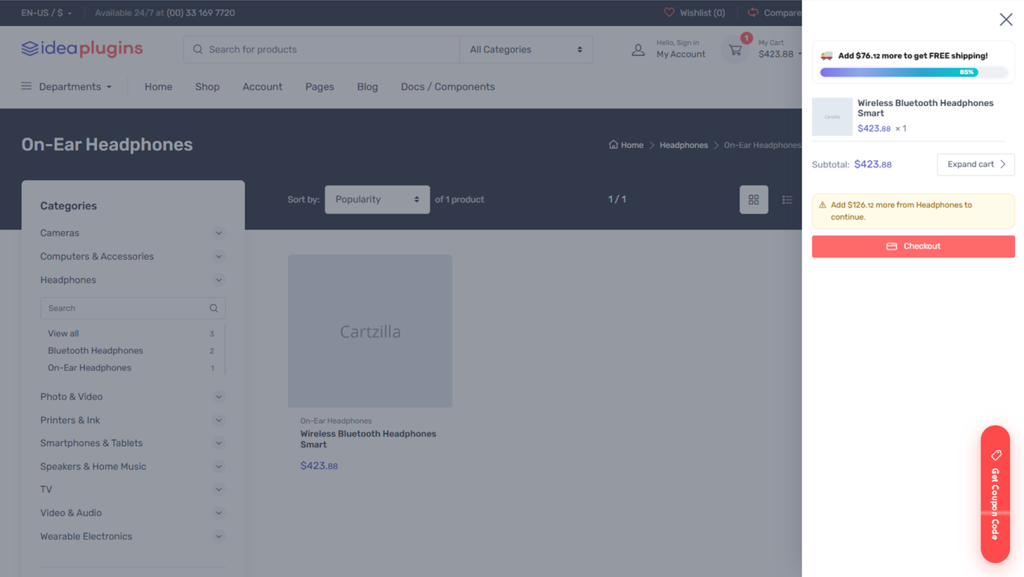
If a customer has $65 worth of electronics in the cart, the store can show how much more they need to purchase before checkout is allowed.
This type of visual feedback is important because customers should understand why they cannot complete their order and what they need to do next.
A progress bar can make this even clearer.
Instead of simply displaying:
Minimum order not reached.
The store can communicate:
Add $35 more from Electronics to complete your order.
That turns a checkout restriction into a clear purchasing action.
See the product: WooCommerce Category-Based Minimum Order Rules
Set Minimum Product Quantity Per Category
Minimum order rules do not have to be based only on price.
Some businesses need customers to purchase a minimum number of products.
For example:
Accessories → Minimum quantity: 5 items
This is useful for:
- Wholesale stores
- B2B ecommerce
- Bulk product sellers
- Packaging suppliers
- Retailers selling products in volume
- Businesses with category-specific purchasing requirements
You can also combine minimum amount and minimum quantity within the same rule when your business model requires both conditions.

Create Different Rules for Different Customers
Not every customer needs to follow the same purchasing requirements.
A wholesale customer may have a $500 minimum order, while a regular retail customer may have no minimum.
This is why customer targeting is an important part of an advanced WooCommerce minimum order plugin.
Rules can be targeted to:
- Everyone
- Guests
- Logged-in customers
- Specific WordPress user roles
This makes it possible to build purchasing rules around your actual customer structure instead of forcing every shopper through the same checkout conditions.
Build More Flexible WooCommerce Checkout Rules
A powerful minimum order system should do more than simply block checkout.
It should help customers understand what is required.
The IdeaPlugins WooCommerce Category-Based Minimum Order Rules plugin is designed around this approach.
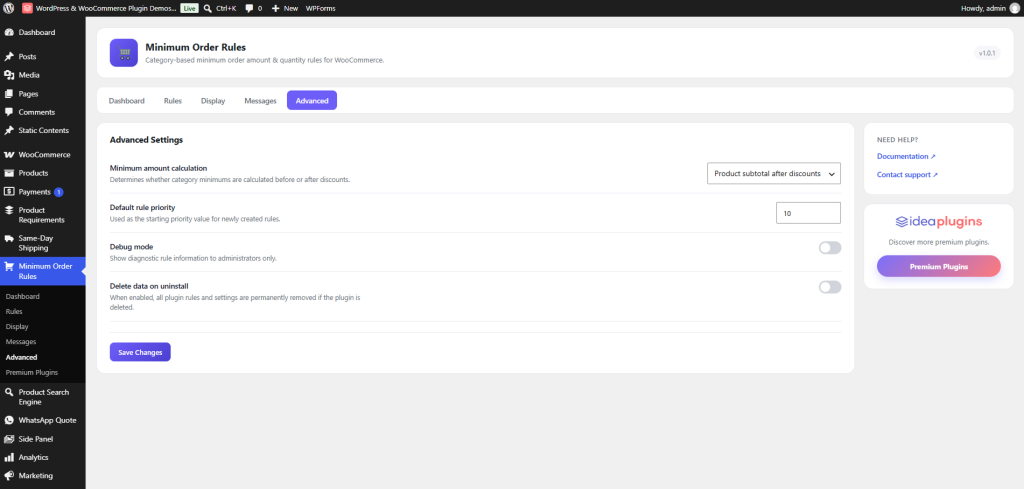
The plugin lets store owners create unlimited priority-ordered rules and evaluate them against the live WooCommerce cart.
Rules can be based on category spending, product quantity, or both. You can also exclude specific products from category calculations when necessary.
Turn Minimum Order Requirements Into a Better Shopping Experience
One of the biggest problems with minimum order restrictions is poor communication.
If customers reach checkout and suddenly discover that their order does not qualify, they may become confused or abandon the purchase.
A better approach is to communicate the requirement throughout the shopping experience.
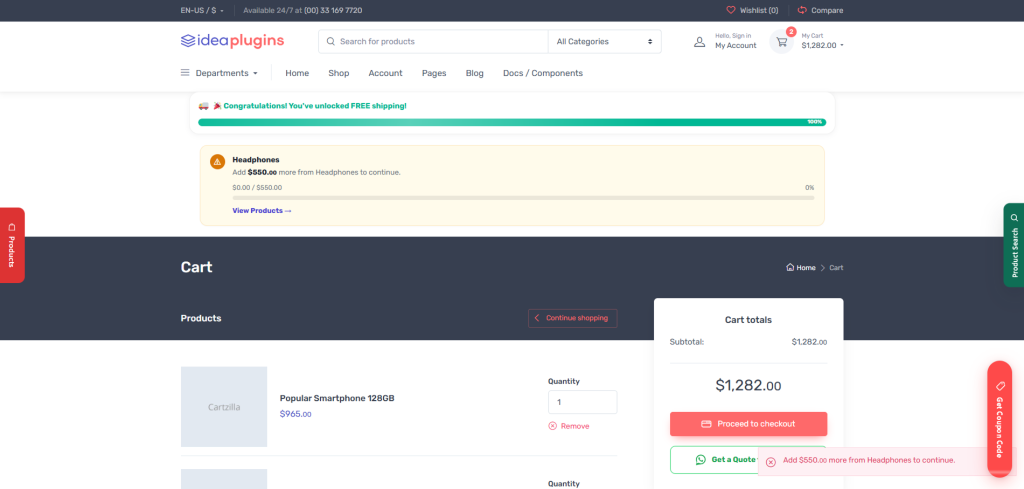
The plugin supports features such as:
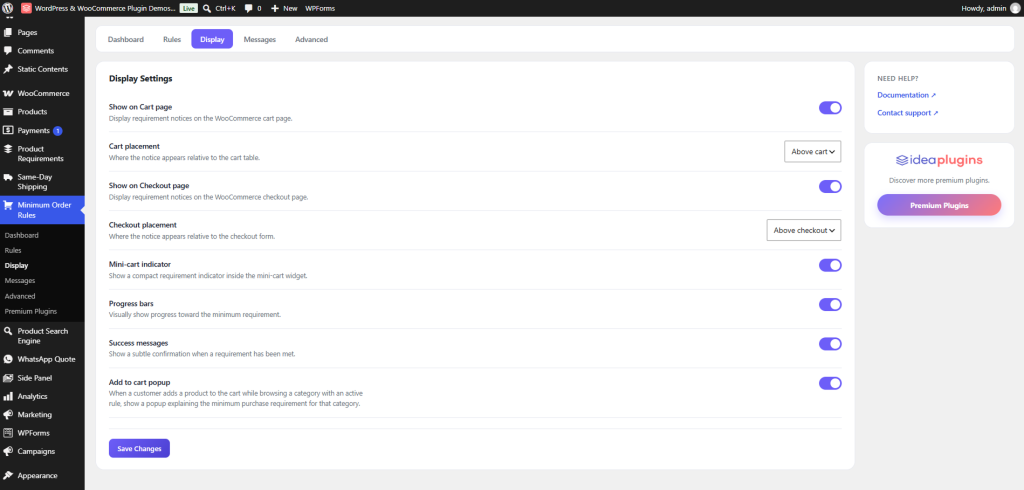
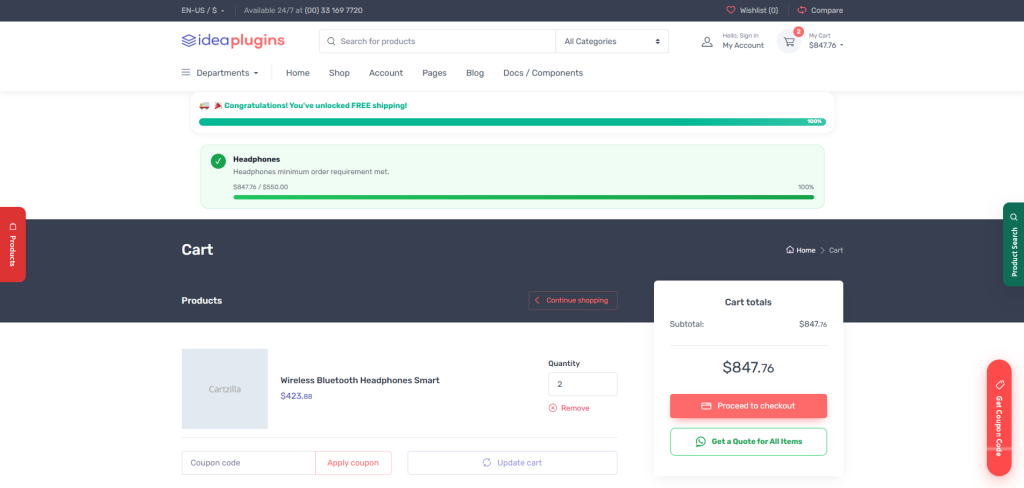
- Configurable progress bars
- Success messages
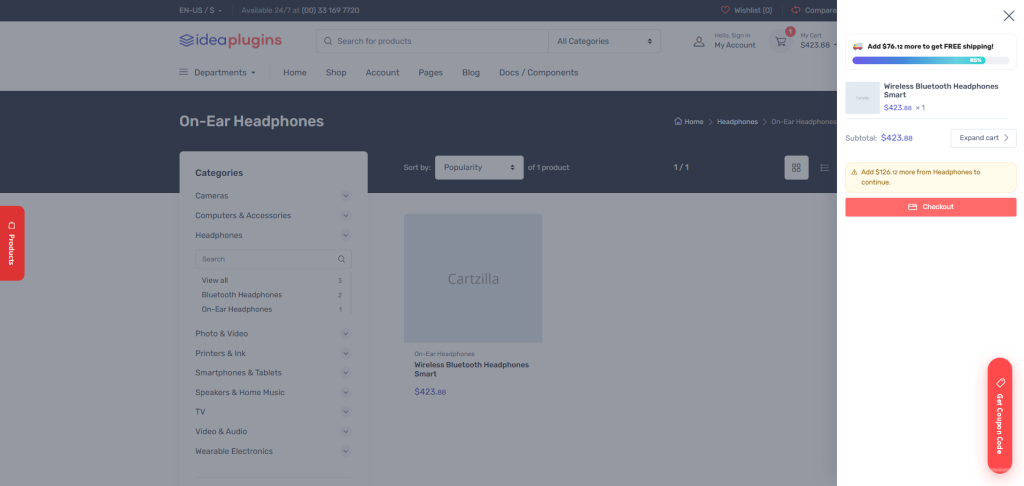
- Mini-cart indicators
- Add-to-cart popups
- Custom message templates
- Placeholder-based messaging
- Manual shortcode placement
For example, a customer could see:
$75 / $100 reached
Add $25 more from Electronics to complete your order.
This gives customers a direct reason to continue shopping.
WooCommerce Minimum Order Rules With Server-Side Enforcement
Frontend-only restrictions can create problems because users may potentially bypass them.
For ecommerce stores, order validation needs to happen where the actual checkout process is enforced.
IdeaPlugins’ minimum order rules are validated server-side across both the classic WooCommerce checkout and WooCommerce Cart/Checkout Blocks through the Store API.
That means the requirement is not simply a visual message displayed to customers.
The rules are actually evaluated against the cart before the order can proceed.
For store owners, this provides a much stronger foundation for enforcing category-based purchasing requirements.
WooCommerce Cart and Checkout Blocks Support
WooCommerce continues to evolve, and modern stores increasingly use the newer Cart and Checkout Blocks experience.
A minimum order solution should therefore work with the checkout architecture your store actually uses.
The plugin declares compatibility with WooCommerce Cart & Checkout Blocks and includes server-side enforcement through the Store API.
It also declares compatibility with HPOS (High-Performance Order Storage).
This makes the plugin suitable for WooCommerce stores using newer WooCommerce infrastructure.
Parent and Child Product Categories
Large WooCommerce stores often have complex category structures.
For example:
Electronics
- Laptops
- Monitors
- Accessories
A category-based rule can automatically roll purchases from child categories into the parent category calculation.
This means a minimum order requirement applied to a parent category can also account for qualifying purchases made within its subcategories.
For stores with large catalogs, this can significantly simplify rule management.
Exclude Specific Products From Minimum Order Calculations
Sometimes not every product inside a category should count toward a minimum requirement.
For example, you may have promotional products, gift cards, or special items that should not contribute toward the category minimum.
The plugin supports per-rule product exclusions, giving store owners additional control over how category totals are calculated.
This is particularly useful when your catalog contains products with different commercial rules.
Create a More Powerful WooCommerce Store
Minimum order requirements are only one part of a successful ecommerce strategy.
Your WooCommerce store also needs a strong product experience, useful functionality, and a carefully organized plugin stack.
For store owners looking to extend their website, explore the WordPress Plugins available from IdeaPlugins for additional WordPress functionality.
If your store is built around WooCommerce, you can also explore the WooCommerce Plugins collection to find tools designed specifically for ecommerce workflows.
The goal is not simply to add more plugins. It is to add functionality that solves real operational and customer-experience problems.
Who Needs a WooCommerce Minimum Order Plugin?
A minimum order rules plugin can be particularly useful for:
Wholesale WooCommerce Stores
Wholesale businesses frequently need customers to meet minimum quantities or spending thresholds.
B2B Ecommerce Websites
B2B stores often have different purchasing requirements depending on customer type, product category, or account role.
Bulk Product Stores
If products are normally purchased in larger quantities, quantity-based rules can prevent inefficient small orders.
Category-Specific Stores
Businesses that sell products with different commercial requirements can create separate rules for different categories.
Stores With Custom Customer Roles
If your WooCommerce website uses different customer roles, customer-specific minimum order rules can provide additional flexibility.
Why Choose IdeaPlugins Minimum Order Rules?
The IdeaPlugins WooCommerce Category-Based Minimum Order Rules plugin focuses on giving store owners control without forcing them into a complicated external service.
You can create unlimited rules, assign priorities, target customer groups, exclude products, customize messages, and display progress indicators directly within your WooCommerce store.
The plugin is also designed to be self-contained, with no license key, external API dependency, or telemetry/tracking calls.
That means your store’s minimum order logic runs directly inside your own WordPress and WooCommerce installation.
Final Thoughts
A minimum order requirement should not feel like a barrier between your customer and checkout.
When implemented correctly, it can become a useful part of your WooCommerce conversion strategy.
Category-based minimum order rules allow you to control spending thresholds, product quantities, customer-specific requirements, and checkout validation while giving shoppers clear feedback about what they need to do.
If your WooCommerce store needs more control over minimum spending or quantity requirements, IdeaPlugins Minimum Order Rules Plugin provides a flexible solution built specifically for category-based WooCommerce purchasing rules.
Leave a Reply