


How to Add a Callback Form to WordPress and Generate More Leads
Getting visitors to your website is important, but turning those visitors into real leads and customers is where growth happens. Many people visit a website, look at a service or product, and leave without making contact. A simple callback form can give these visitors an easy way to start a conversation.
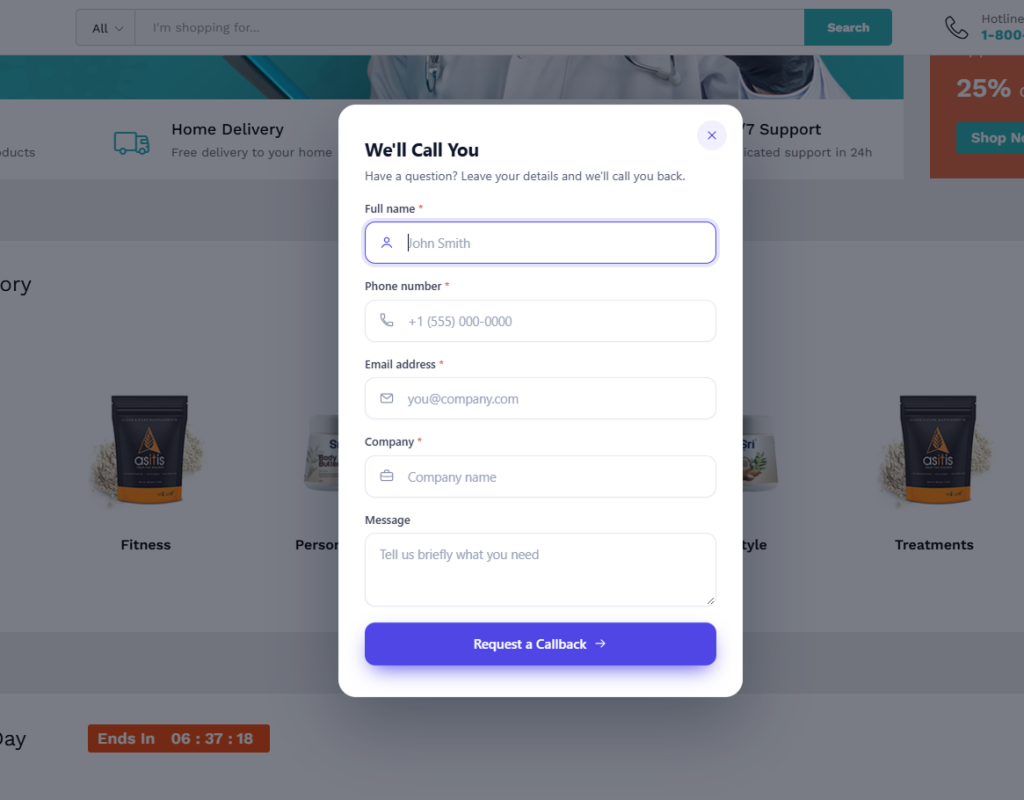
With the right WordPress callback plugin, you can add a professional “We’ll Call You” experience to your website and give potential customers a fast alternative to traditional contact forms.
Why Add a Callback Form to Your WordPress Website?
Visitors do not always want to fill out a long contact form or search for a phone number. Sometimes, they simply want someone from your business to contact them.
A callback form reduces this friction by allowing visitors to provide essential information such as their name and phone number. This creates another opportunity to turn website traffic into valuable sales conversations.
For service businesses, agencies, consultants, local companies, and eCommerce websites, a WordPress callback plugin can become an effective part of a broader lead generation strategy.

Turn Website Visitors Into Callback Leads
Not every visitor is ready to make a purchase immediately. Some may have questions about pricing, availability, services, delivery, installation, or product features.
Instead of allowing these visitors to leave your website, you can provide a clear call to action such as “We’ll Call You”.
IdeaPlugins Callback – WordPress Callback Plugin is designed to help WordPress website owners capture these opportunities through a customizable callback experience.
Choose the Right Callback Display for Your Website
Every website has a different design and audience. That’s why a callback widget should not be limited to a single layout.
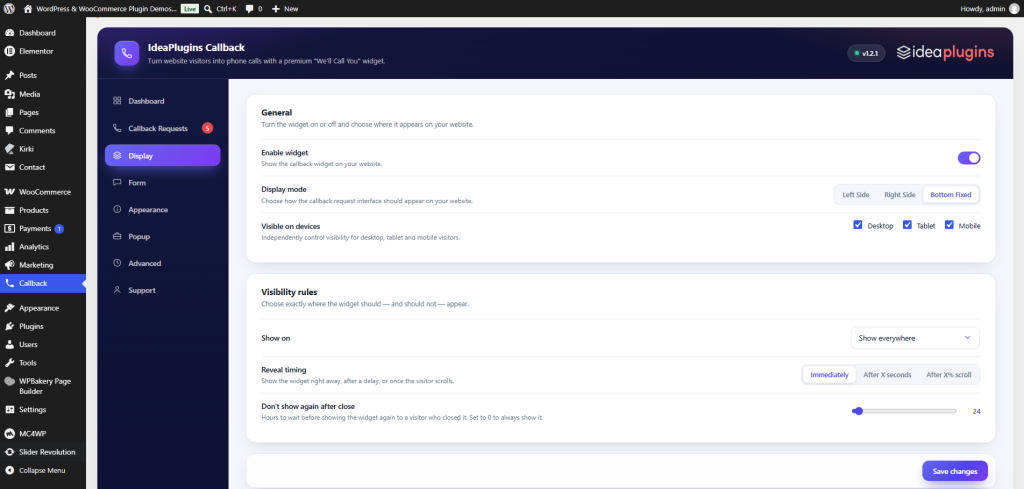
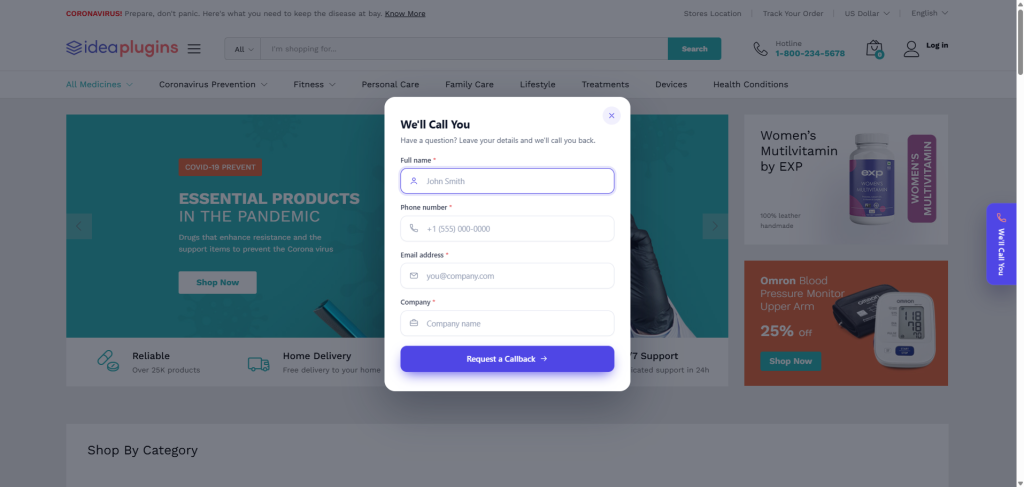
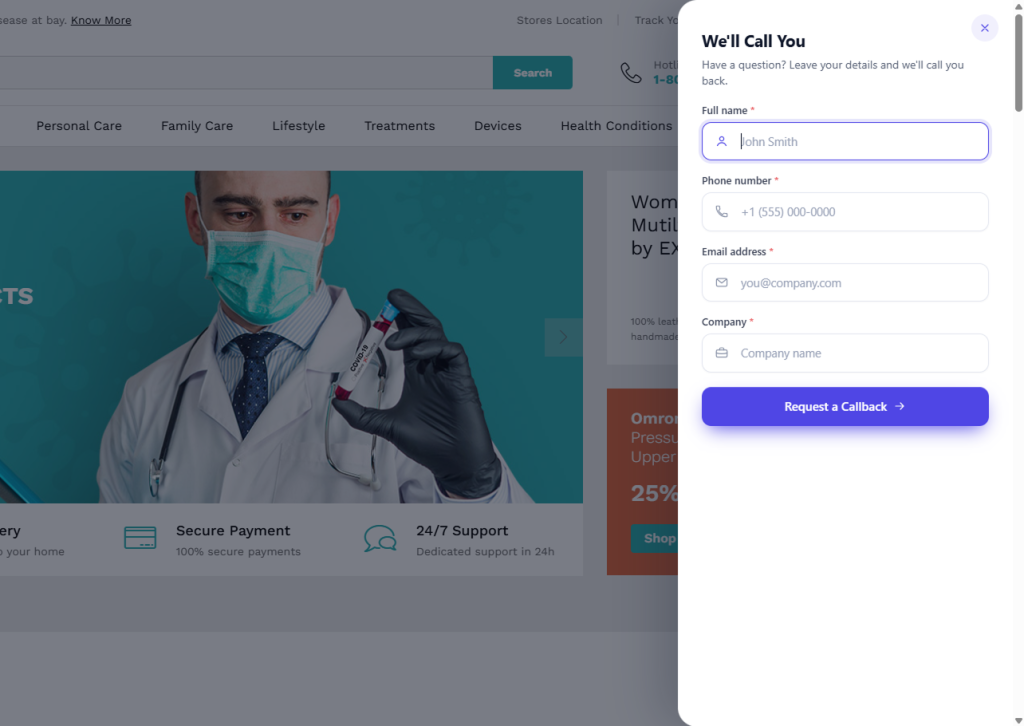
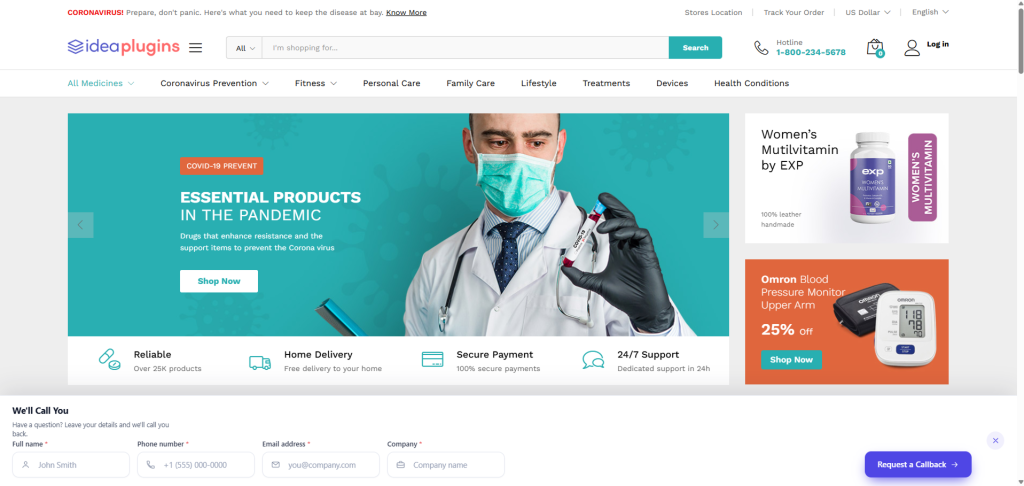
IdeaPlugins Callback provides three display modes:
- Left Side: Display a floating callback trigger on the left side of your website.
- Right Side: Place the callback trigger on the right side for a different website layout.
- Bottom Fixed: Create a highly visible full-width callback bar at the bottom of the screen.
Side layouts can also use a Slide Panel or Popup, giving you more control over how the callback form appears to visitors.
Create a Professional WordPress Callback Form
Your callback form should look like a natural part of your website rather than an external widget.
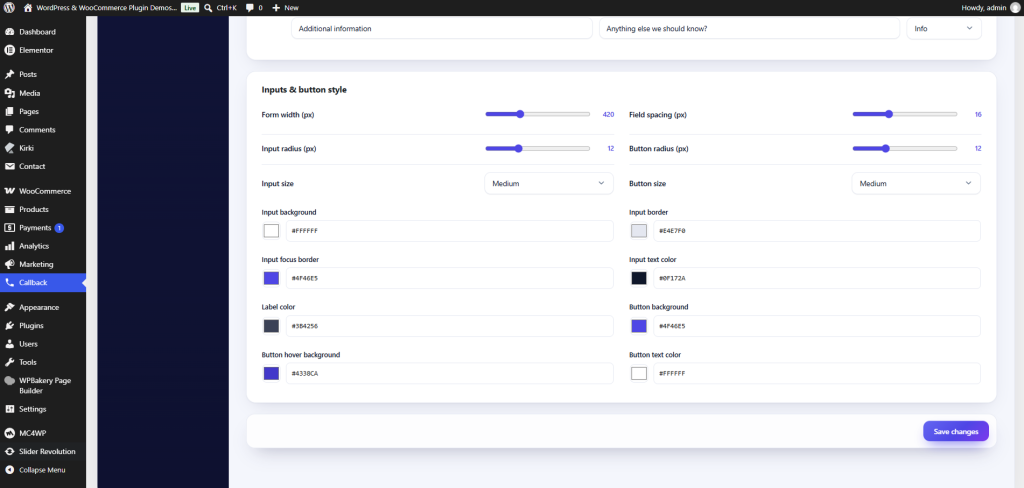
You can customize the form title, subtitle, button, icons, colors, spacing, input styles, animations, popup dimensions, and other visual elements.
The form can require essential information such as:
- Full Name
- Phone Number
You can also collect additional information including:
- Company
- Message
- Preferred Callback Time
- Department
- Service
- Additional Information
This allows your sales or support team to receive useful information before making the call.
Show Your Callback Form at the Right Time
Timing can have a major impact on the user experience. Showing a popup immediately may not be suitable for every website, while displaying a callback option after a visitor has explored your content can create a more natural interaction.
With IdeaPlugins Callback, you can control when the widget appears.
You can display it:
- Immediately after the page loads
- After a specific number of seconds
- After the visitor scrolls a selected percentage of the page
You can also control where the widget appears by using options such as homepage only, selected pages, selected posts, selected categories, or your entire website.
Manage Your Callback Requests
Generating leads is only one part of the process. You also need a simple way to manage incoming requests.
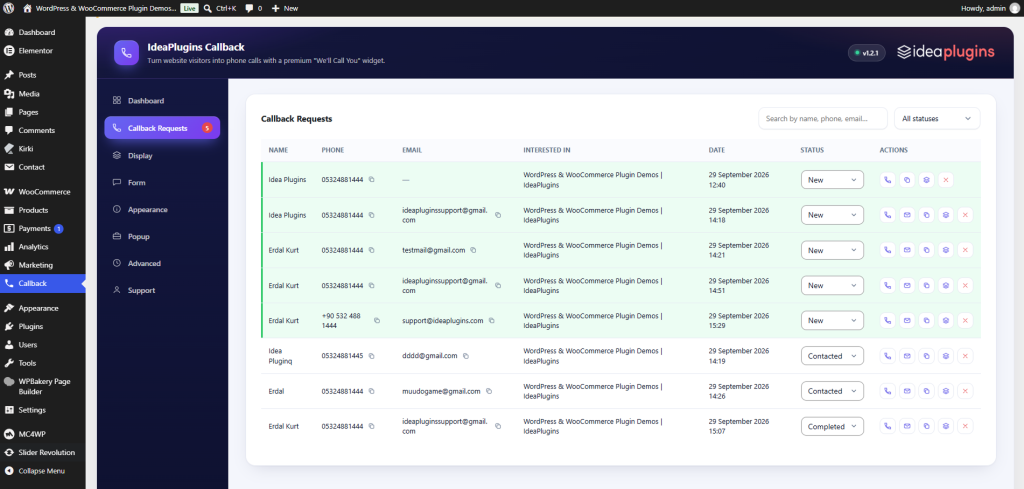
IdeaPlugins Callback includes a dedicated callback request management area where you can search, filter, sort, and paginate your submissions.
Requests can be organized using simple statuses:
New → Contacted → Completed
This makes it easier for businesses and teams to keep track of incoming leads and follow up with potential customers.
Use Callback Marketing Alongside Other WordPress Tools
A callback form can work alongside other tools designed to improve your website.
For example, businesses can explore the WordPress Plugins collection to discover additional solutions for marketing, performance, forms, SEO, security, and website management.
If your website runs WooCommerce, combining a callback experience with specialized WooCommerce Plugins can help create a more conversion-focused online store.

Make Your Website More Conversion-Focused
Website design is not only about creating a visually attractive interface. Every important element should help visitors understand what they can do next.
A strategically placed callback button gives interested visitors another way to contact your business without forcing them through a complicated process.
This is especially useful for businesses where personal communication plays an important role in the buying process.
The journey can be simple:
Website Visitor → Callback Request → Customer Conversation → Sales Opportunity
Built for Modern WordPress Websites
A professional callback solution should work across desktop, tablet, and mobile devices.
IdeaPlugins Callback includes responsive visibility controls and customization options that allow website owners to create different experiences for different devices.
The plugin also includes features designed to help protect your lead forms, including honeypot spam protection, rate limiting, and duplicate protection.
Optional email notifications can also help your team respond quickly when a new callback request arrives.

Start Generating More Callback Leads
Your website already has visitors. The next step is giving interested visitors an easy reason to contact you.
A professionally designed WordPress callback form can create an additional conversion opportunity for businesses that want more customer conversations from their existing website traffic.
IdeaPlugins Callback combines flexible display modes, customizable forms, visibility controls, callback request management, responsive settings, and lead protection features in one solution.
If you’re looking for a practical way to add callback functionality to WordPress and create more opportunities from your website visitors, explore IdeaPlugins Callback and discover how a simple callback experience can become part of your lead generation strategy.
Explore more professional solutions in the WordPress Plugins collection or discover tools specifically designed for online stores in the WooCommerce Plugins collection.
Leave a Reply