

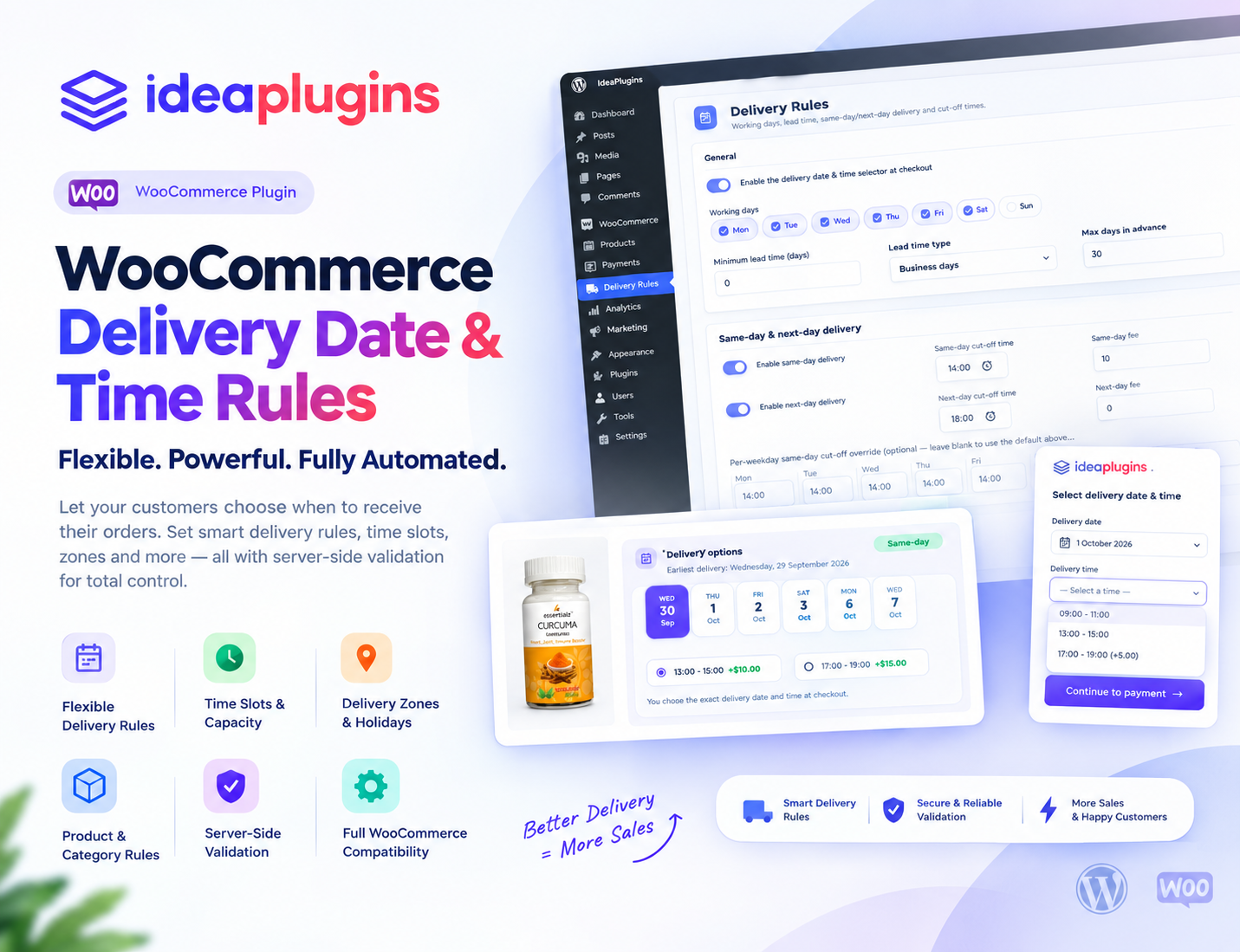
WooCommerce Delivery Date & Time: How to Let Customers Choose Delivery Slots
When customers shop online, they expect more than a simple checkout experience. They want to know when their order will arrive and, whenever possible, choose a delivery date and time that works for them.
For WooCommerce store owners, offering flexible delivery scheduling can make the ordering process more convenient and predictable. This is especially important for businesses selling groceries, food, flowers, cakes, gifts, custom-made products, and other items that require scheduled delivery.
With the right WooCommerce delivery date and time plugin, you can allow customers to select their preferred delivery date and delivery time slot while giving your business more control over its delivery operations.
In this guide, we’ll explain how WooCommerce delivery date and time scheduling works, why it matters for online stores, and how WooCommerce Delivery Date & Time Rules can help you create a more flexible delivery experience.
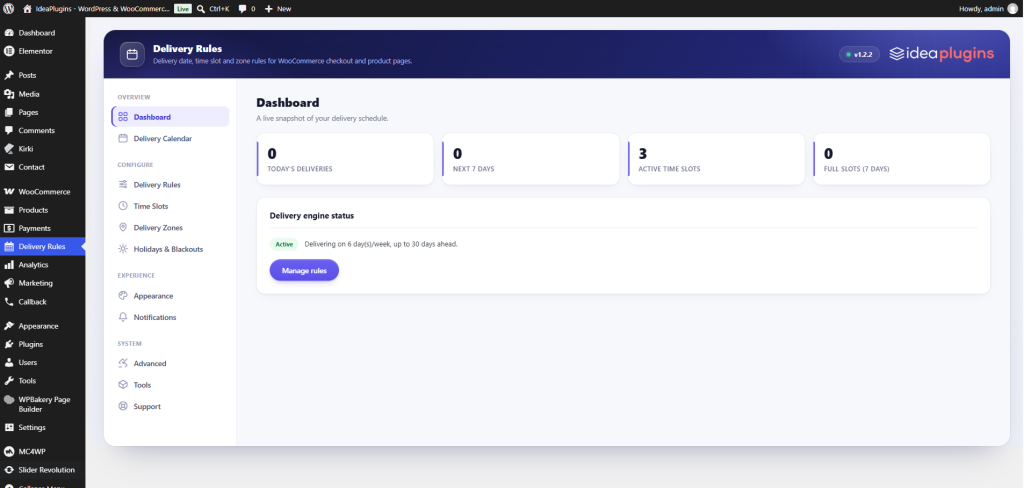
What Is WooCommerce Delivery Date & Time?
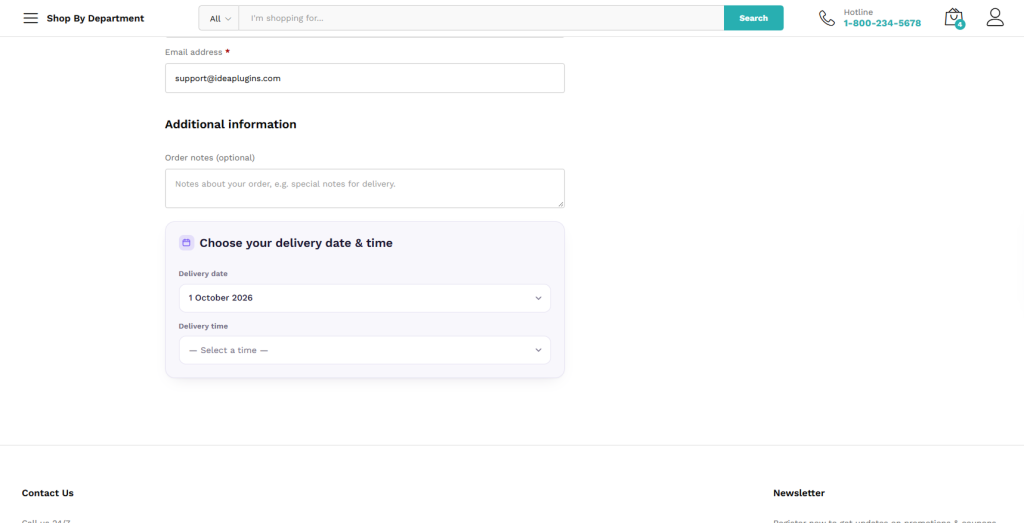
WooCommerce delivery date and time refers to a feature that allows customers to select when they want their order to be delivered during the checkout process.
Instead of simply displaying “Delivery in 2–5 business days”, you can provide customers with specific delivery options such as:
- Monday, 10:00 AM – 12:00 PM
- Tuesday, 2:00 PM – 4:00 PM
- Wednesday, 6:00 PM – 8:00 PM
This gives customers more control over their delivery schedule and can be particularly useful for local delivery businesses.
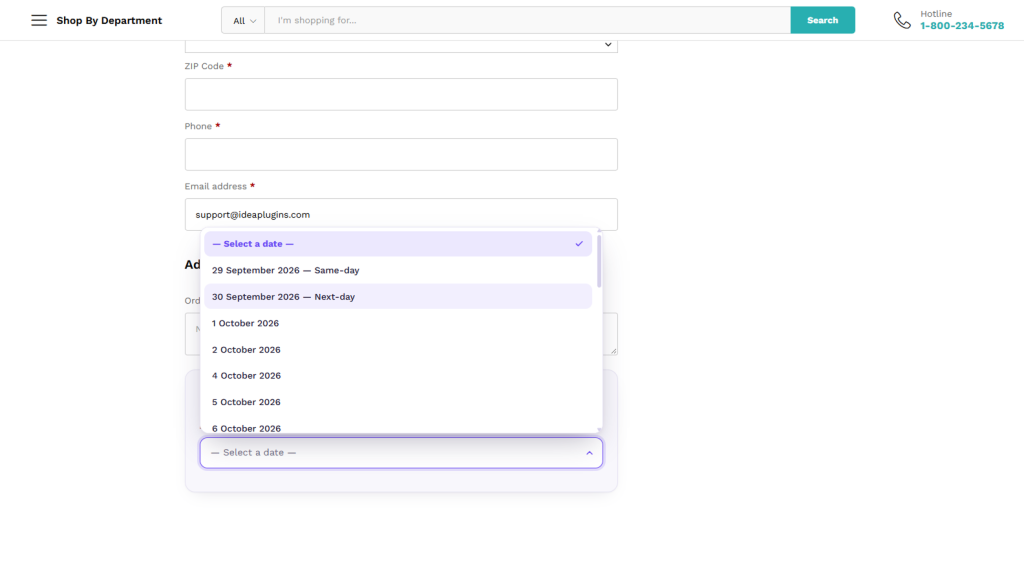
A WooCommerce delivery date plugin can also help store owners define available delivery days, delivery time slots, unavailable dates, holidays, preparation periods, and other delivery rules.
Why Is Delivery Date Selection Important for WooCommerce Stores?
Delivery is one of the most important parts of the eCommerce customer experience. Customers may not always be available to receive their orders, so knowing exactly when an order can arrive can make the shopping experience much easier.
A flexible delivery scheduling system can be particularly useful for:
- Grocery stores
- Restaurants
- Bakeries
- Flower shops
- Gift stores
- Food delivery businesses
- Local retailers
- Custom product stores
- Fresh food businesses
- Same-day delivery services
For these businesses, delivery isn’t simply a shipping process. It is an important part of the overall customer experience.
By offering WooCommerce delivery time slots, you can give customers a more convenient and predictable way to receive their orders.

What Is a WooCommerce Delivery Time Slot?
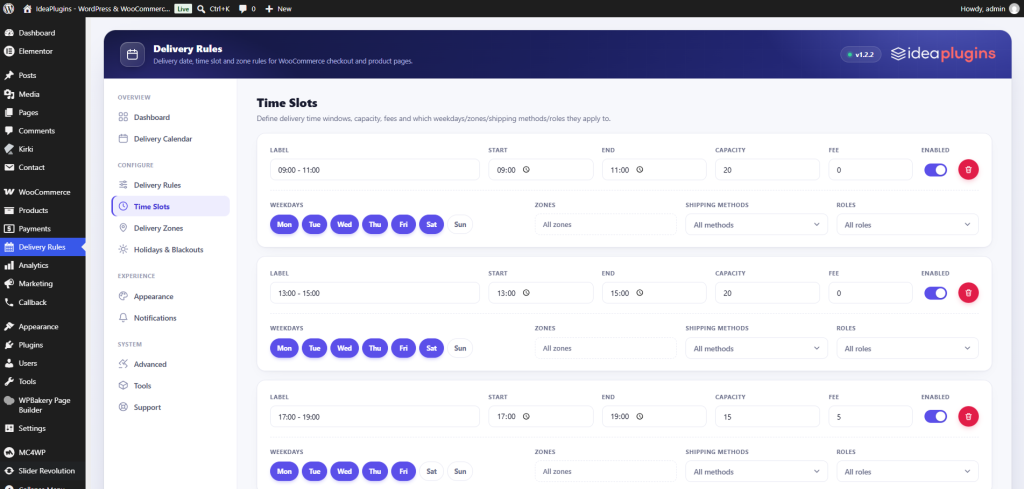
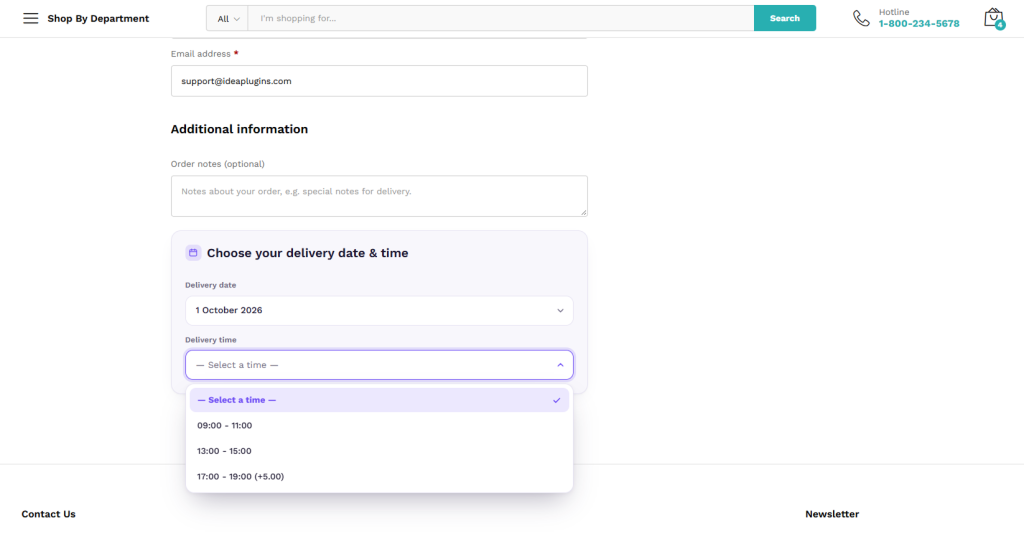
A WooCommerce delivery time slot is a specific period that customers can select for their delivery.
For example, a store could offer:
- 9:00 AM – 11:00 AM
- 11:00 AM – 1:00 PM
- 1:00 PM – 3:00 PM
- 3:00 PM – 5:00 PM
- 5:00 PM – 7:00 PM
Instead of leaving delivery completely open-ended, customers can select a time period that works for them.
This can make delivery planning easier for both the customer and the store.

How to Manage WooCommerce Delivery Rules
If your business needs more than a basic date picker, you need a solution that allows you to create delivery rules based on your store’s actual requirements.
WooCommerce Delivery Date & Time Rules provides a dedicated solution for WooCommerce stores that need greater control over delivery dates and time-based delivery rules.
Instead of treating every order exactly the same, you can build a delivery structure around your business model.
For example, you may have different delivery requirements for different types of products.
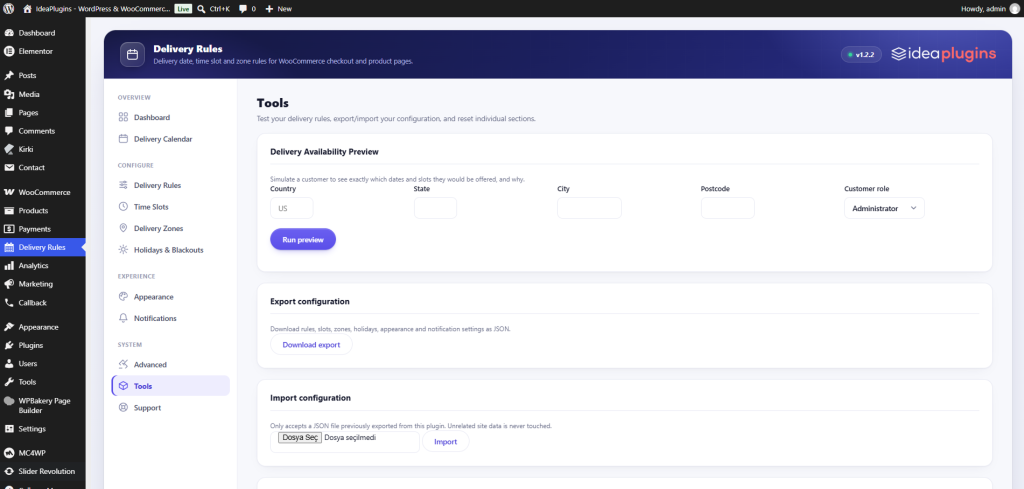
Example: Bakery Store
A bakery could offer:
Morning Delivery
9:00 AM – 12:00 PM
Afternoon Delivery
12:00 PM – 4:00 PM
Evening Delivery
4:00 PM – 8:00 PM
This gives customers a clear choice while helping the business organize its daily delivery schedule.

WooCommerce Delivery Date Plugin for Different Business Models
Not every WooCommerce store handles delivery in the same way. A grocery store may need same-day delivery, while a custom product store may need several days to prepare an order.
A flexible delivery rules system allows you to build delivery options around these differences.
Grocery Stores
Grocery stores can allow customers to select a preferred delivery date and time slot.
For example:
Today — 6:00 PM to 8:00 PM
or
Tomorrow — 10:00 AM to 12:00 PM
This can create a more convenient shopping experience for local customers.
Flower Shops
Flower delivery often depends on a specific date or occasion.
Customers may want their flowers delivered on birthdays, anniversaries, Valentine’s Day, Mother’s Day, or other special occasions.
Allowing customers to select a delivery date can make the ordering process more useful and flexible.
Bakeries and Cake Shops
Cakes and other fresh products are often ordered for specific events.
A customer may need a birthday cake delivered before 5 PM on Saturday. With scheduled delivery, customers can select an appropriate date and time instead of relying on an estimated delivery window.
Gift Stores
Gift purchases can also be time-sensitive. Customers may want to schedule a gift delivery for a particular day, making WooCommerce delivery date scheduling a valuable feature for gift stores.
Custom and Made-to-Order Products
Custom products may require additional preparation time.
For example:
Order today → Earliest delivery in 3 days
A delivery rules system can help businesses create a more realistic delivery schedule instead of allowing customers to select dates that are not operationally possible.
Set Available and Unavailable Delivery Days
Not every business operates every day.
For example, your store might deliver Monday through Saturday but remain closed on Sunday.
A proper WooCommerce delivery date plugin should make it easier to control which dates customers can select.
This is particularly important during:
- Weekends
- Public holidays
- Company holidays
- Seasonal closures
- Special events
- High-demand periods
Preventing customers from selecting unavailable dates can reduce confusion and unnecessary customer support requests.

WooCommerce Delivery Scheduling Can Improve Customer Experience
A customer doesn’t want uncertainty after placing an order.
Compare these two messages:
Option 1:
Your order will arrive within 2–5 business days.
Option 2:
Choose your preferred delivery date and time.
The second approach gives the customer more control over the delivery process.
This is especially valuable when customers need an order for a specific occasion or need to be present at the delivery address.
A better delivery experience can also help create greater trust in your online store.
WooCommerce Delivery Date and Time for Local Delivery
Local delivery businesses can benefit significantly from scheduled delivery.
For example, a local food business could organize deliveries into specific time windows:
| Delivery Slot | Example Capacity |
|---|---|
| 10:00 AM – 12:00 PM | 10 orders |
| 12:00 PM – 2:00 PM | 10 orders |
| 2:00 PM – 4:00 PM | 10 orders |
| 4:00 PM – 6:00 PM | 10 orders |
| 6:00 PM – 8:00 PM | 10 orders |
This type of structure can make it easier to organize drivers, delivery routes, preparation times, and customer expectations.
Why WooCommerce Store Owners Need Delivery Rules
Without proper delivery rules, customers may select dates or times that don’t match your actual business operations.
For example:
- A customer selects Sunday when your business is closed.
- A customer selects a delivery time when all drivers are already booked.
- A customer requests delivery before a custom product can be produced.
- Too many orders are scheduled for the same time period.
These situations can create operational problems.
A structured WooCommerce delivery scheduling system helps businesses align customer choices with their actual delivery operations.
Explore WooCommerce Plugins from IdeaPlugins
If you’re looking for WooCommerce-focused solutions for your online store, visit IdeaPlugins to explore plugins designed to extend WooCommerce functionality.
You can also browse the WooCommerce Plugins category to discover additional solutions for improving your online store.
Looking specifically for delivery scheduling? Visit WooCommerce Delivery Date & Time Rules to learn more about the plugin.
Improve Your WooCommerce Checkout Experience
Your checkout should make the purchasing process as simple and predictable as possible.
When customers can choose an appropriate delivery date and time, they have greater control over when their orders arrive.
This can be especially useful for businesses where delivery timing is an important part of the customer experience.
Instead of simply telling customers when their order might arrive, you can give them a more convenient way to select their preferred delivery schedule.
Conclusion
Customers increasingly expect online stores to provide convenient and transparent delivery options.
Adding WooCommerce delivery date and time selection gives customers more control while helping store owners organize their delivery operations more efficiently.
Whether you need delivery time slots for a local grocery store, scheduled delivery for a bakery, date selection for flowers, or flexible delivery rules for custom products, a dedicated WooCommerce delivery solution can simplify the process.
Instead of leaving customers wondering when their order will arrive, give them the ability to select an appropriate delivery date and time.
Ready to improve your WooCommerce delivery experience?
Explore WooCommerce Delivery Date & Time Rules and create a more organized delivery scheduling experience for your WooCommerce store.

Frequently Asked Questions
1. How do I add a delivery date to WooCommerce?
You can add delivery date selection to WooCommerce by using a dedicated WooCommerce delivery date plugin. This allows customers to select an available delivery date during the ordering process.
2. Can customers choose a delivery time in WooCommerce?
Yes. A WooCommerce delivery scheduling solution can provide predefined delivery time slots, such as 9 AM–11 AM, 1 PM–3 PM, or 6 PM–8 PM.
3. Can I restrict certain delivery dates in WooCommerce?
Yes. Delivery rules can be used to control which dates are available to customers. This can be useful for weekends, holidays, business closure days, or dates when your delivery service is unavailable.
4. Who should use a WooCommerce delivery date and time plugin?
A delivery date and time plugin can be useful for grocery stores, restaurants, bakeries, flower shops, gift stores, food businesses, local retailers, and other WooCommerce stores where customers need more control over when their orders are delivered.
Leave a Reply