

How to Add Paddle Payments to WooCommerce: A Complete Guide
Selling digital products internationally with WooCommerce can be a great way to grow an online business. But once your customers start coming from different countries, payment processing, VAT, sales tax, compliance, currencies, and checkout management can become much more complicated.
This is where Paddle payments for WooCommerce can become an interesting solution for digital product businesses.
Paddle is a Merchant of Record platform designed for digital products, software, SaaS, downloads, courses, and other online products. It handles payment processing and can manage tax and compliance responsibilities associated with global digital sales.
The challenge is that Paddle does not provide its own official WordPress plugin. Paddle’s own documentation confirms that WordPress users may rely on third-party integrations for WooCommerce and should check compatibility with their Paddle version.
In this guide, we’ll explain how to add Paddle to WooCommerce, what a Paddle WooCommerce integration does, why Merchant of Record matters, and how you can start accepting global payments from your WooCommerce store.
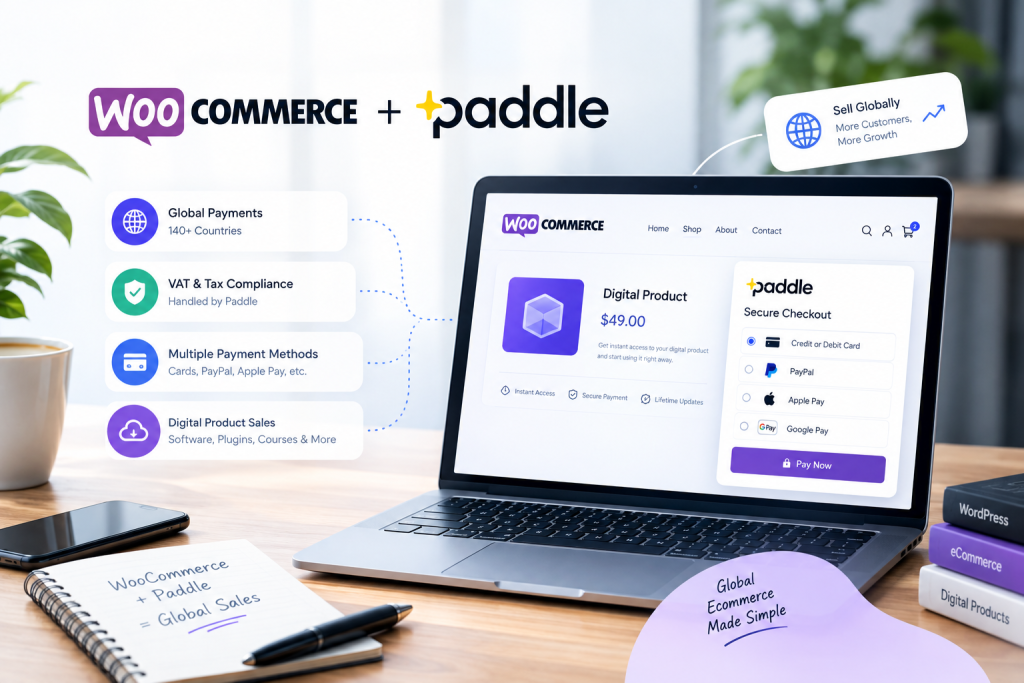
What Is Paddle for WooCommerce?
Paddle for WooCommerce refers to connecting a WooCommerce store with Paddle so that customers can purchase products through Paddle’s payment infrastructure.
WooCommerce provides the online store, product catalog, cart, and order management, while Paddle can handle the payment side and Merchant of Record responsibilities.
This can be particularly useful if you sell:
- WordPress plugins
- WooCommerce plugins
- Software licenses
- SaaS products
- Digital downloads
- Online courses
- Ebooks
- Other digital products
Paddle’s current digital-product offering supports one-time purchases and digital products such as software licenses, downloads, courses, and plugins.
If you’re building a store around WordPress or WooCommerce, you can also explore the complete collection of WooCommerce plugins available from IdeaPlugins.
Why Add Paddle Payments to WooCommerce?
For a business selling digital products internationally, choosing a payment gateway is about more than simply accepting credit cards.
You may also need to think about:
- International payments
- VAT
- Sales tax
- Customer invoices
- Multiple currencies
- Payment security
- Checkout experience
- Fraud protection
- Global compliance
- Order synchronization
Paddle positions itself as a Merchant of Record for digital product businesses, meaning it can take responsibility for payment, tax, and compliance processes associated with supported transactions.
This can make Paddle WooCommerce integration especially interesting for businesses that want to sell software or digital products globally without building their own international tax infrastructure.

What Is a Merchant of Record?
If you’ve searched for Paddle Merchant of Record, you may have noticed that this is one of Paddle’s biggest differentiators.
A Merchant of Record is the entity responsible for processing the transaction and handling certain payment, tax, and compliance responsibilities.
For digital businesses selling internationally, this can simplify the operational side of selling across different countries.
Paddle states that its Merchant of Record model handles payments, tax, fraud, and global compliance for digital product businesses.
This doesn’t mean that every business obligation disappears, and businesses should still understand their own accounting and legal responsibilities. However, using a Merchant of Record can significantly reduce the amount of payment and tax infrastructure a digital business needs to build itself.
Paddle vs Traditional WooCommerce Payment Gateways
Traditional WooCommerce payment gateways generally connect your store to a payment processor or payment service.
That’s useful when your primary requirement is simply:
Customer → Checkout → Payment → WooCommerce Order
But international digital sales can introduce additional complexity.
With a Merchant of Record approach, the payment provider can take on additional responsibilities around tax and compliance.
This is one reason searches such as Paddle vs Stripe, Paddle vs PayPal, and Paddle WooCommerce are becoming relevant to software and digital-product businesses evaluating their payment infrastructure.
The right solution depends on your business model, countries served, products, pricing, tax requirements, and preferred checkout workflow.
How to Add Paddle to WooCommerce
Adding Paddle to WooCommerce requires an integration between your WooCommerce store and Paddle.
The general process looks like this:
Step 1: Create Your Paddle Account
Start by setting up your Paddle account and completing the required business verification and configuration.
Paddle provides the payment infrastructure and Merchant of Record capabilities, while your WooCommerce store remains the place where you manage your products and customers.
Step 2: Create Your Products in Paddle
Your digital products need to be configured in Paddle.
Depending on your business model, you may sell:
- One-time software licenses
- Digital downloads
- WordPress plugins
- WooCommerce plugins
- SaaS products
- Courses
- Other digital products
Paddle’s documentation specifically supports one-time digital products such as software licenses, downloads, courses, and plugins.
Step 3: Connect WooCommerce With Paddle
This is where a dedicated Paddle payment gateway for WooCommerce can save development time.
Instead of building a custom integration from scratch, a WooCommerce Paddle plugin can connect your store with Paddle’s payment infrastructure.
The Paddle Payment Gateway for WooCommerce from IdeaPlugins is designed specifically for this purpose.
The plugin maps WooCommerce products to Paddle Price IDs and uses Paddle’s hosted checkout flow.
Step 4: Configure Your API Credentials
The integration needs to communicate securely with Paddle.
With the IdeaPlugins integration, the Paddle API key remains server-side rather than being exposed in the browser. This is an important security consideration for payment integrations.
Step 5: Test Your WooCommerce Paddle Integration
Before accepting real customer payments, test the complete checkout process.
The IdeaPlugins plugin supports Paddle Sandbox and Live environments, allowing you to test the payment workflow before moving to production.
Step 6: Start Accepting Paddle Payments
Once the configuration and testing are complete, your WooCommerce store can use Paddle for the payment process.
Your WooCommerce store continues to manage the shopping experience and orders, while the Paddle integration handles communication with Paddle.

How the Paddle WooCommerce Integration Works
A reliable integration needs more than simply displaying a payment button.
The workflow needs to communicate payment status back to WooCommerce so that orders remain synchronized.
The IdeaPlugins WooCommerce Paddle integration uses Paddle transactions and signature-verified webhooks to keep WooCommerce orders synchronized with events such as completed and canceled transactions.
A simplified flow looks like this:
Customer selects a product
↓
WooCommerce creates the order
↓
Paddle checkout handles payment
↓
Paddle processes the transaction
↓
Webhook confirms the transaction
↓
WooCommerce updates the order
This type of synchronization is important because the WooCommerce order status should reflect the actual payment event.
Why Paddle Can Be Useful for Digital Products
Digital products are different from physical ecommerce.
There may be no shipping address, warehouse, delivery company, or physical inventory.
Instead, the main challenges are often:
- Global payment acceptance
- Tax handling
- Digital fulfillment
- Licensing
- Currency localization
- Customer access
- Payment security
- Compliance
Paddle specifically targets digital product businesses and supports products including software, plugins, downloads, and courses.
For a WooCommerce store selling WordPress or software products, this makes a Paddle WordPress plugin or Paddle WooCommerce plugin a potentially useful part of the payment stack.
Sell WordPress Plugins With Paddle and WooCommerce
WordPress plugin developers often want to sell products internationally.
A typical setup may include:
WordPress + WooCommerce + Paddle
WooCommerce handles your store.
WordPress powers the website.
Paddle handles the payment infrastructure and Merchant of Record workflow.
This can be especially useful for businesses selling:
- Premium WordPress plugins
- WooCommerce extensions
- WordPress themes
- Software licenses
- SaaS tools
- Digital downloads
If your store sells multiple WordPress products, you can also browse premium WordPress plugins and explore different solutions for extending your website.
Is There an Official Paddle WordPress Plugin?
One of the most common searches around this topic is:
“Does Paddle have a WordPress plugin?”
According to Paddle’s current Help Center documentation, Paddle does not provide an official WordPress plugin. Paddle states that customers may use third-party plugins for WordPress and WooCommerce integrations and recommends checking compatibility with the version of Paddle being used.
This makes compatibility an important consideration when choosing a Paddle WordPress plugin.
A good integration should clearly explain which Paddle environment and features it supports and how WooCommerce orders are synchronized.
What to Look for in a Paddle WooCommerce Plugin
Not every payment integration is built the same way.
Before choosing a WooCommerce Paddle plugin, look for important features such as:
Paddle Billing Compatibility
The plugin should be designed around the current Paddle environment you intend to use.
Secure API Handling
API credentials should be kept securely on the server rather than exposed to visitors.
Webhook Verification
Payment events should be verified before they are used to update WooCommerce orders.
WooCommerce Product Mapping
The integration should provide a practical way to connect WooCommerce products with Paddle products or Price IDs.
Sandbox Testing
Testing payment flows before going live is important for reducing configuration errors.
Order Synchronization
Completed and canceled transactions should be correctly reflected in WooCommerce.
The IdeaPlugins Paddle integration includes these core elements, including product-to-Price ID mapping, signature-verified webhooks, server-side API key handling, and Sandbox/Live environments.
Accept International Payments With WooCommerce
One of the biggest reasons store owners search for how to accept international payments with WooCommerce is the complexity that comes with selling globally.
Customers from different countries may expect different currencies, payment methods, localized checkout experiences, and tax treatment.
Paddle states that its digital-product platform supports localized pricing, multiple currencies, local payment methods, and global tax and compliance handling.
For a WooCommerce store focused on digital products, connecting WooCommerce with Paddle can therefore provide a way to build a more international payment workflow without developing every component internally.
Paddle for SaaS and Software Businesses
Paddle is particularly relevant to software companies and SaaS businesses.
If you sell software licenses or SaaS products through WooCommerce, you may need a payment system that can support both one-time purchases and recurring business models.
Paddle’s digital product platform supports software and SaaS businesses and provides billing capabilities alongside its Merchant of Record model.
For WooCommerce stores that use WordPress as their storefront but sell software globally, a Paddle payment gateway for WooCommerce can connect the familiar WooCommerce shopping experience with Paddle’s payment infrastructure.
Is Paddle a Good Payment Option for WooCommerce?
There isn’t one payment gateway that is ideal for every WooCommerce store.
Paddle can be particularly relevant when your business sells digital products internationally and wants to use a Merchant of Record model.
It may be worth considering if you:
- Sell software
- Sell WordPress plugins
- Sell WooCommerce plugins
- Sell SaaS products
- Sell digital downloads
- Have customers in multiple countries
- Want to simplify international tax handling
- Need a global payment infrastructure
On the other hand, businesses selling physical products or operating with a different payment architecture may have different requirements.
The important thing is to match the payment infrastructure to your business model.
A Simpler Way to Connect Paddle and WooCommerce
Building a custom Paddle integration can require development work around APIs, checkout, webhooks, order synchronization, security, and testing.
For store owners who don’t want to build that infrastructure themselves, a dedicated WooCommerce integration can provide a simpler approach.
The Paddle Payment Gateway for WooCommerce is designed to connect WooCommerce with Paddle Billing without requiring store owners to build the integration from scratch.
It includes:
- Paddle Billing integration
- WooCommerce product mapping
- Paddle Price ID mapping
- Hosted Paddle checkout
- Signature-verified webhooks
- WooCommerce order synchronization
- Server-side API key handling
- Sandbox and Live environments
- No-code setup
- Compatibility with current WordPress and WooCommerce releases
The plugin is available with Standard and Unlimited license options, making it suitable for individual stores as well as developers managing multiple websites.
Frequently Asked Questions
Can I use Paddle with WooCommerce?
Yes. WooCommerce can be connected to Paddle through a third-party integration. Paddle itself confirms that it does not provide an official WordPress plugin and points users toward third-party integrations for WordPress and WooCommerce.
Does Paddle work with WordPress?
Paddle can be integrated with WordPress through third-party solutions. Paddle’s official documentation states that it does not provide its own WordPress plugin.
Can I sell digital products with Paddle?
Yes. Paddle supports digital products including software licenses, downloads, courses, and plugins.
Does Paddle handle VAT and sales tax?
Paddle operates as a Merchant of Record and states that it handles tax calculation, collection, and remittance for supported transactions.
Can I sell WordPress plugins with Paddle?
Yes. Paddle’s digital-product documentation specifically includes plugins among the types of products that can be sold through its platform.
Do I need coding knowledge to connect Paddle to WooCommerce?
A dedicated WooCommerce integration can simplify the setup considerably. The IdeaPlugins Paddle Payment Gateway is designed as a no-code installation and configuration solution.
Final Thoughts
For digital businesses selling internationally, payment processing is only one part of the problem. Tax, compliance, currencies, checkout, security, and order synchronization can all become important as your store grows.
A Paddle WooCommerce integration can connect the familiar WooCommerce ecommerce experience with Paddle’s Merchant of Record infrastructure.
If you sell WordPress plugins, WooCommerce extensions, software licenses, SaaS products, or other digital products, this approach can be worth exploring.
If you’re looking for a ready-made solution, check out the Paddle Payment Gateway for WooCommerce and see how it can connect your WooCommerce store with Paddle Billing.
Sell globally. Keep your WooCommerce store. Let Paddle handle the payment infrastructure.
Related WooCommerce Resources
- Explore WooCommerce Plugins
- Browse WordPress Plugins
- Paddle Payment Gateway for WooCommerce
- IdeaPlugins Documentation
Leave a Reply